
Text to speak
Type or paste text, or drop a .txt / .srt file
Speaking speed1.0x
Free. On your computer. No account needed.
Voiceover, music, voice cloning, transcription, translation and image.
Most AI tools charge monthly, limit your daily usage, or take an engineering degree to install.
Welcome to Hutash
What it does
Hutash gives you all six — free, on your own machine.
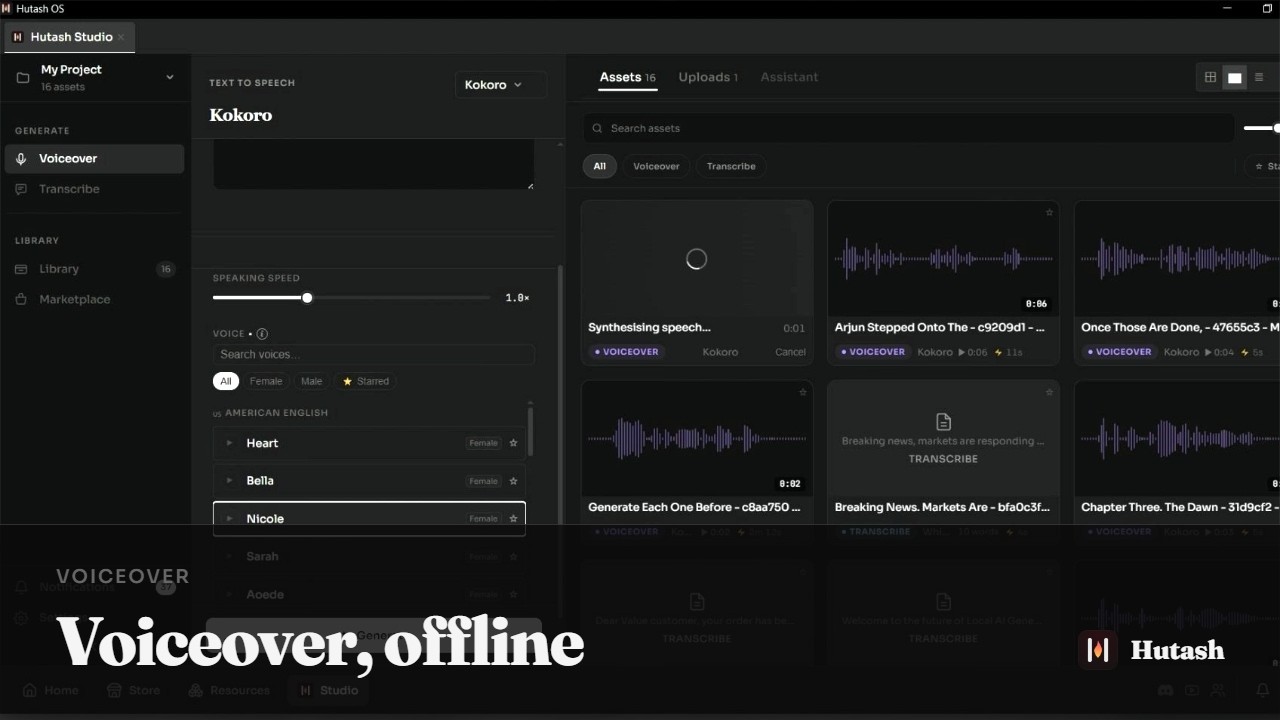
Multiple AI tools in one install. No separate setup for each one.
Everything runs locally on your computer. Nothing is uploaded. Nothing is tracked. Your creative work stays yours.
The app knows your hardware. It tells you what will run well, what will run slow, and what won't fit — before you download anything.
How it works
One file. No setup wizard. No dependencies to install.
Browse the marketplace. The app tells you what runs on your hardware.
Generate as much as you want. No credits, no limits, no cloud.
Demos



Why local
Models run as processes on your hardware. That single fact settles most of the questions people have about privacy, cost, and availability.
FAQ
What Hutash does, what it runs on, and how the models are licensed.
Run AI generation models locally on your computer. See the models page for what's available today.
Windows is available now. Linux and macOS support are coming soon.
The app reads your machine and tells you where each model stands before you download it — what will run well, what will run slowly, and what will not fit. A dedicated graphics card lets you run larger models faster, and the check is what tells you which ones.
Yes. After you download the models you want, everything runs locally. No connection needed for generation.
See the models page for the full, current list. The marketplace shows every available model with its size, hardware requirements, and license.
Each model carries its own licence, shown in the marketplace before you install. Many are Apache 2.0 or MIT, which allow commercial use; others have restrictions. Always check the licence shown for the model you're installing.
The models are — all v1.0 models are Apache 2.0 or MIT licensed. The .hutash package format is documented publicly, so anyone can package a model or build an app on it. See the docs.
Yes. Advanced setup and integration options are covered in the docs.